
Key facts in 20 seconds
- Every opener has two separate adjustments: travel limits (how far the door goes up and down) and force (how much resistance it tolerates before it stops or reverses). People mix them up constantly.
- If the door reverses before it touches the floor, that is usually the down force or the down limit, not the sensors. The sensors only matter while the door is closing and something breaks the beam.
- If the door stops a few inches short of fully open or slams into the header, that is the up limit.
- The number one mistake: turning the force up to “fix” a heavy door. A door that needs more force has a spring, roller or track problem. Extra force hides it, burns out the motor and makes the door dangerous.
- Federal rule (UL 325): a closing door must reverse off a 2×4 laid flat on the floor. Test it monthly, every time you touch the settings, and every time a spring is replaced.
- On LiftMaster / Chamberlain openers from 2011 on, force is learned automatically the first few cycles after you set the limits. Older openers have two force screws or dials you turn by hand.
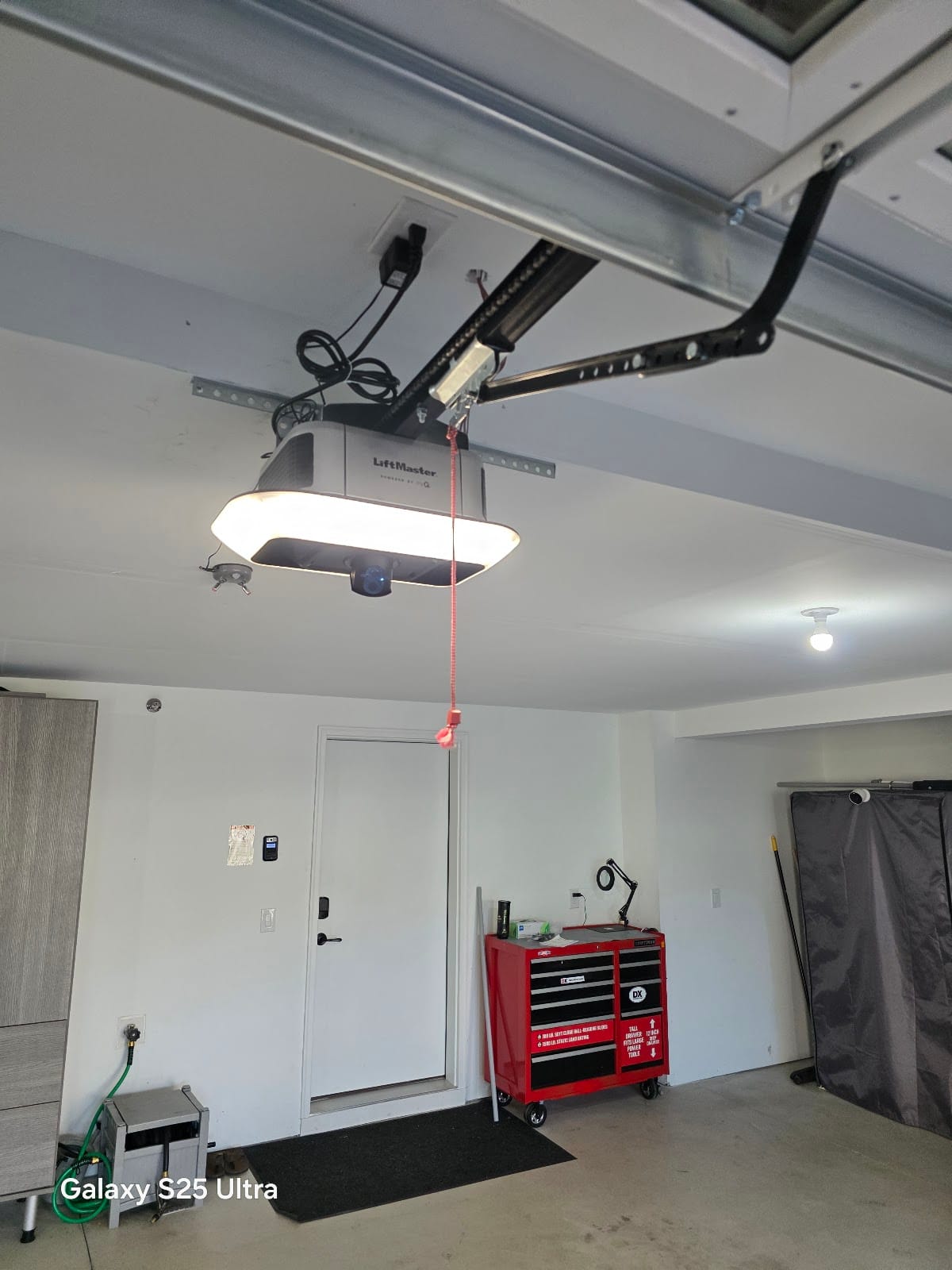
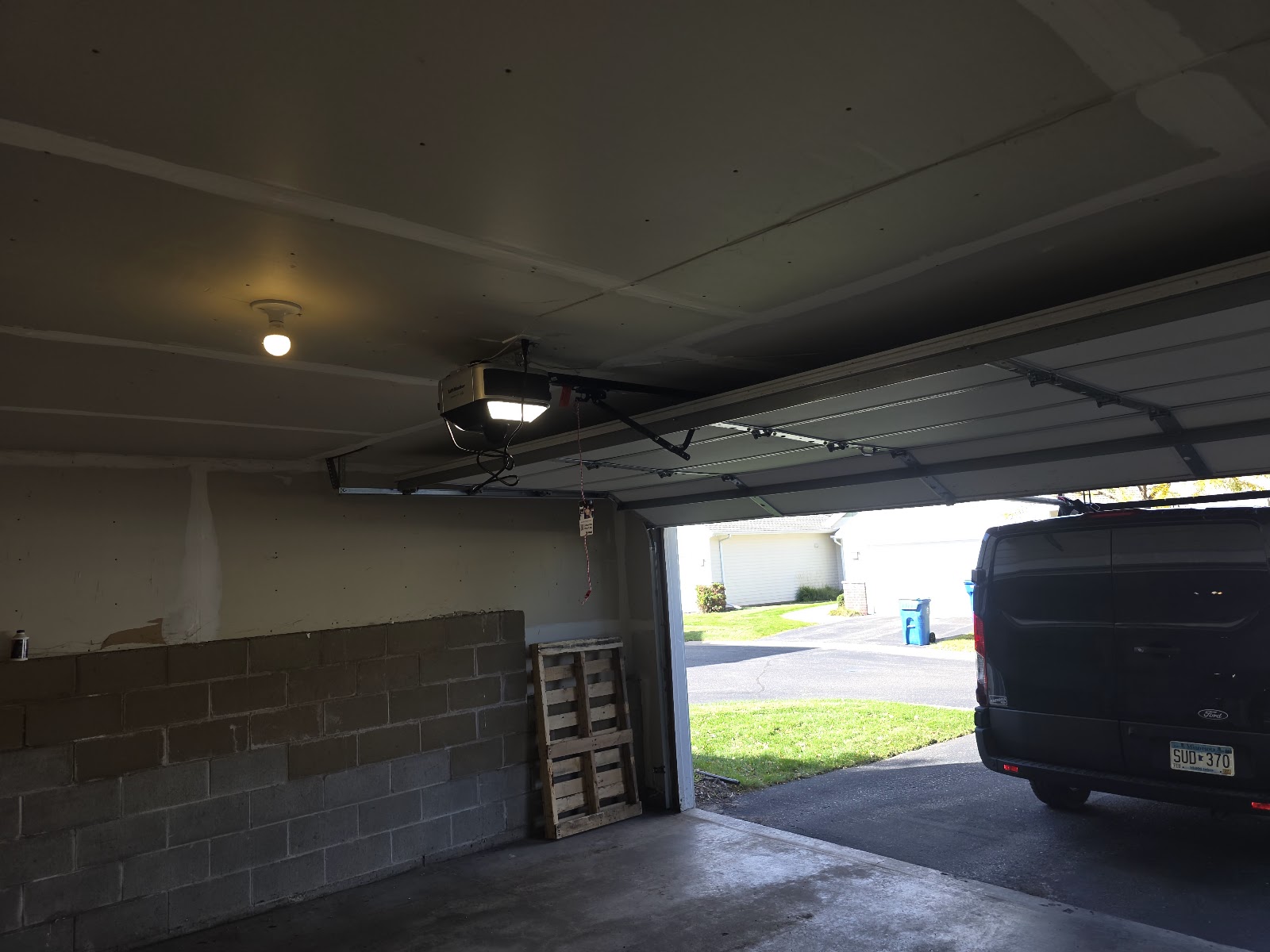
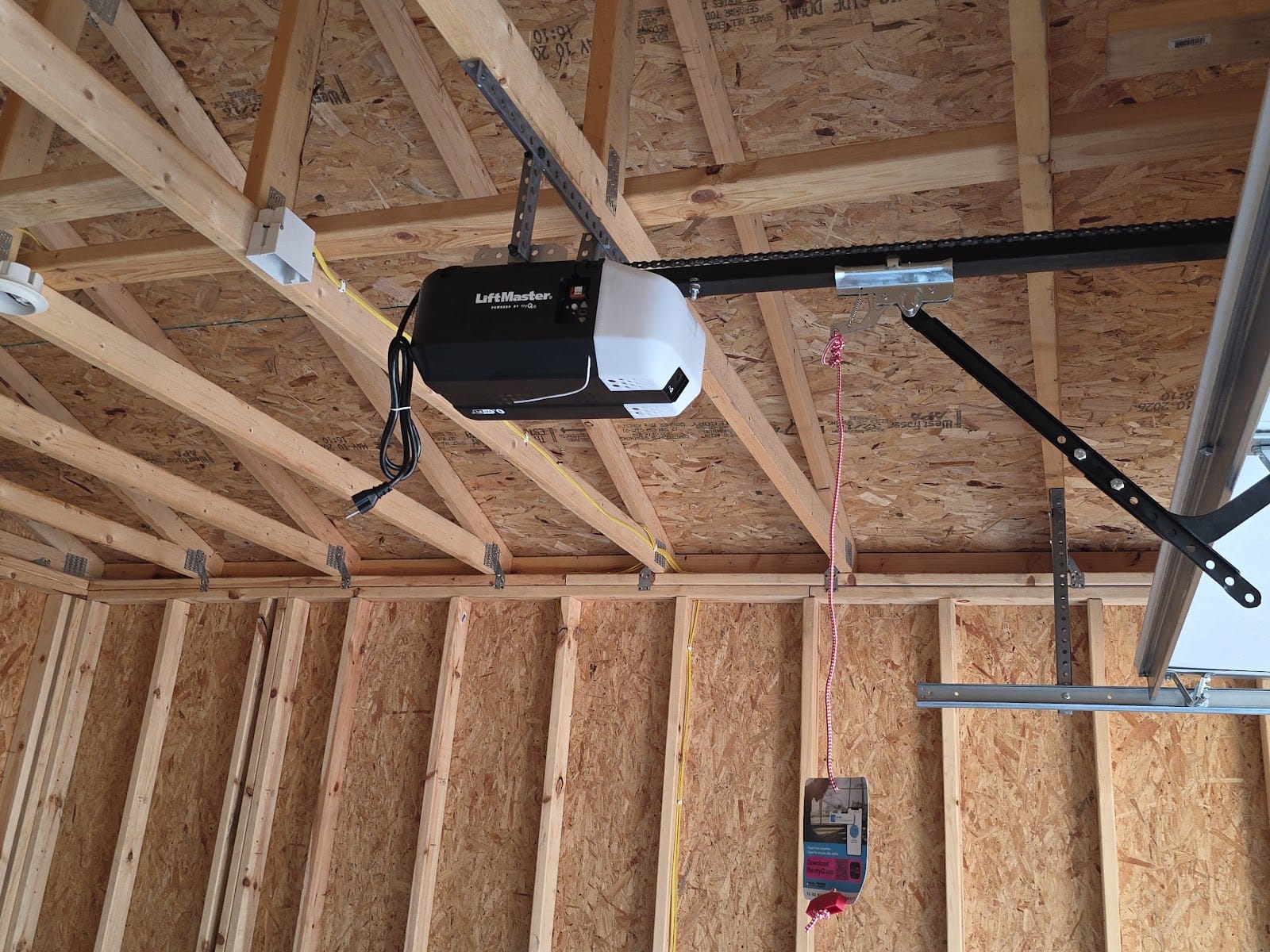
“The door comes back up by itself” is one of the most common calls I get across the Twin Cities, and more than half the time the owner has already been told it is the sensors. On a healthy door it is more often the opener’s force or travel limit settings, or a door that has become too heavy for the settings that used to be fine. This guide explains what those two settings actually do, how to tell which one is off, how they are adjusted on the openers common in Minnesota garages, and when adjusting them is the wrong answer.
Travel limits: where the door stops
Travel limits tell the motor where “fully open” and “fully closed” are. The opener counts how far the trolley travels on the rail. Set the down limit too far and the door hits the floor while the motor is still pushing; the opener senses that load and reverses, exactly as if it had hit a bike. Set the up limit too short and the door stops with a foot of daylight under it. Limits drift when the floor heaves in a hard freeze, when a new bottom seal is thicker than the old one, when a door is replaced, and when a worn gear or a slipping belt makes the opener lose count.
Force (sensitivity): how hard it is allowed to push
Force is the safety threshold. The opener watches how hard the motor is working; when the load jumps above the learned or dialed value, it stops going up or reverses going down. That is what protects a child, a car bumper or a dog. A properly balanced residential door needs very little force, because the springs carry the weight and the motor only guides it. The moment an opener “needs” more force, something mechanical has changed: a spring has lost tension or snapped, the rollers have rusted solid, the bottom brackets are seized, or the track is out of plumb. In our climate the usual culprit is road-salt rust on the rollers, cables and bottom brackets.
Symptom chart: limit, force, or something else?
| Symptom | Which setting it usually is | What else it can be |
|---|---|---|
| Door reverses 1-6 inches before it touches the floor, lights flash | Down force too low or down limit set too far (door hits the floor and “thinks” it hit something) | Frozen or stiff bottom seal, ice on the slab, a roller binding in the track |
| Door closes, then immediately opens again | Down limit set too far past the floor (the opener keeps pushing after the door is down) | Safety sensors misaligned (check the LEDs first), worn travel module |
| Door stops 2-12 inches short of fully open | Up limit set too short | Door too heavy: weak or broken spring, opener hitting its up force limit |
| Door slams into the header or the trolley bangs the motor housing | Up limit set too far | Loose rail, bent trolley stop |
| Door does not close all the way; a gap at the bottom | Down limit set too short | Bottom seal flattened, floor heaved from frost |
| Opener hums, struggles, or stops mid-travel going up | Up force reached because the door is heavy | Broken spring, rusted rollers, bottom brackets seized – do not raise the force |
| Door reverses while opening | Up force too low or the door is binding | Cable off the drum, track bent, hinge broken |
Two quick rules of thumb. If the problem happens only in the last few inches of travel, it is almost always a limit. If the problem happens at random points and the door is harder to lift by hand than it used to be, it is a force threshold being reached by a heavy door, and the fix is the door, not the opener. For the flashing-light codes that go with these events see the LiftMaster / Chamberlain blink-code guide.
How limits and force are adjusted, by opener type
| Opener type | Limits | Force | How to tell |
|---|---|---|---|
| LiftMaster / Chamberlain / Craftsman 2011+ (yellow Learn button, “Security+ 2.0”) | Electronic: press and hold the Adjustment (▲ / ▼) buttons under the light lens | Learned automatically from the first 2-3 full cycles after the limits are set; a built-in sensor tracks the motor load | Yellow Learn button, no plastic force dials on the housing |
| LiftMaster / Chamberlain 1993-2011 (purple, red or green Learn button) | Two plastic limit screws (UP / DOWN) turned with a flat screwdriver, 1 turn = about 2 inches | Two force dials (UP FORCE / DOWN FORCE) on the back or side of the motor | Numbered dials, “1 turn = 2 in.” printed beside the screws |
| Genie (Intellicode, chain or belt) | Limit buttons with LED or two limit screws on older units | Automatic on newer units; “force” screws on older ones | Genie models with a “Program / Set Limit” button |
| Jackshaft / wall-mount (LiftMaster 8500W, 98022) | Set through the “Set Limits” sequence on the unit; the door stops exactly where you press | Automatic | Mounted beside the torsion shaft, cable tension monitor is required |
| Screw-drive and very old chain openers (before 1993) | Metal limit “nuts” on the rail that trip a switch | Spring-loaded clutch or force dial | Should be replaced: no modern reversing safety, no sensors |
Setting the limits on a modern LiftMaster / Chamberlain (yellow button)
- Door closed, nothing in the opening, sensors clean. Remove the light lens on the motor unit.
- Press and hold the Adjustment ▲ button until the door reaches the open position you want, release. Tap ▲ or ▼ in short presses to fine-tune: each press moves the door about an inch.
- Press and hold Adjustment ▼ until the door is fully closed and the bottom seal is compressed evenly across the floor. Do not go past that point: the seal should flatten, not fold.
- Press the Learn button once to lock the limits in. Most models flash the lights to confirm.
- Run the door through two full open/close cycles with the remote. On these cycles the opener learns the force. Do not touch the door.
- Do the 2×4 test and the hand-resist test below. If either fails, repeat from step 2.
Exact button labels vary a little by model year; the sequence is the same on the 6690L, 6580L and 2220L openers I install, and the manual is printed on the inside of the light lens on most of them.
Older openers with screws and dials
On the purple-, red- and green-button generation there are two limit screws (one turn of the screw equals roughly two inches of door travel) and two force dials numbered from low to high. Turn the limit screws first, in small increments, and run the door after each change. Only then, if the door reverses when nothing is in the way, turn the matching force dial a small step clockwise and re-test with the 2×4. If you find yourself above the middle of the dial’s range on a residential door, stop: the door is too heavy and needs a balance check, not more force.
The three tests that tell you the settings are safe
| Test | How | Pass / fail |
|---|---|---|
| Balance test (do this first, before touching the opener) | Pull the red release cord with the door closed, lift the door by hand to waist height and let go | The door should stay put. If it drops or rises, the springs are wrong – call before adjusting anything on the opener |
| 2×4 reversal test | Lay a 2×4 flat under the center of the door, close it with the remote | The door must reverse within 2 seconds of touching the board. If it does not, lower the down force (or re-learn it) and test again |
| Hand-resist test | While the door is opening, apply firm pressure on the bottom panel with your hands | The door should stop. If it keeps pushing, the up force is set too high |
| Sensor test | Start the door closing, wave a broom through the beam 6 inches off the floor | Door must reverse immediately. Separate system from force – both have to pass |
The balance test is the one most people skip, and it is the one that matters. A door that falls when you let go has lost spring tension, and no amount of opener adjustment makes it safe. I cover that door-weight and spring relationship in how much a garage door weighs and why springs are sized by weight.
Minnesota: why the settings “change” every winter
- Frozen bottom seal. The rubber freezes to the slab overnight. The opener meets that resistance at the top of travel in the morning and either stalls or reverses. Free the seal before adjusting anything; see bottom seal types and freeing a frozen seal.
- Cold lubricant and stiff rollers. Below zero the door simply takes more effort. A light silicone lube on the hinges, rollers and springs in October prevents most “my door reverses when it is cold” calls. That is part of the annual tune-up.
- Frost-heaved slab. The floor rises a quarter inch, the down limit is now “too far”, and the door reverses at the bottom. Re-set the down limit in spring when the slab settles.
- Snow and ice under the door. A ridge of packed snow does the same job as a 2×4. Clear it.
When adjusting is the wrong answer
Do not adjust force or limits if the door fails the balance test, if a spring is visibly broken (a gap in the coil), if a cable is slack or off the drum, if the door is crooked in the opening, or if the opener is pre-1993 with no sensors. In all of those cases the opener is reporting a real problem, and raising the force removes the only warning you have. Those are the calls I take same day across the west metro; a spring replacement includes re-setting the limits, re-learning the force and all three tests before I leave, and the spring repair carries a one-year labor warranty.
Related guide: a door that got heavier after an insulation kit is a classic cause of a tripping safety reverse – see garage door insulation kits: the weight problem.
Related guide: if the top section flexes when the opener starts, read garage door struts explained.
Opener force and travel limits – FAQ
Why does my garage door go back up before it closes?
Most often the down force or down travel limit is set so the opener senses the floor as an obstruction, or a frozen seal or ice ridge is resisting the door. Check the sensor LEDs first (both solid), clear the floor, then re-set the down limit and re-learn the force. If the door is also hard to lift by hand, the springs are the real problem.
How much force should a garage door opener be set to?
As low as will reliably close and open a balanced door. Modern LiftMaster and Chamberlain openers learn it automatically after the limits are set. On older openers with dials, stay in the lower half of the range on a residential door; needing more means the door is too heavy or binding.
Does adjusting the force fix a heavy or slow garage door?
No. More force makes the opener push harder but hides a spring, roller or track problem, shortens the motor and gear life and makes the door unsafe. Do the balance test; if the door does not stay at waist height, the springs need service.
How often should I test the opener reversal?
Monthly, and after any change to the settings or any spring, cable or roller work. Lay a 2×4 flat under the door and close it; it must reverse within about two seconds of contact. Also test the sensor beam with a broom while the door is closing.
What is the difference between travel limits and force?
Travel limits tell the opener where fully open and fully closed are; force sets how much resistance the opener tolerates before it stops or reverses. Limit problems show up only at the ends of travel; force problems can happen anywhere in the travel.
Owner-operated from St. Louis Park, about one hour away for most calls in Edina, St. Louis Park, Plymouth, Minnetonka, Golden Valley, Hopkins, Bloomington and the rest of the west metro. Call or text (763) 265-7671.