
Key facts in 20 seconds
- Every modern opener has a Learn button on the motor unit (under the light cover). Press it, then press the remote within 30 seconds. That is 90% of programming.
- LiftMaster / Chamberlain: the color of the Learn button tells you the era. Yellow = Security+ 2.0 (2011 and newer) and works with today’s remotes and keypads. Purple, red/orange or green = older radio; you need a matching or multi-frequency remote.
- Keypads are programmed the same way: Learn button, type a 4-digit PIN, press ENTER.
- Your car’s HomeLink buttons need two steps on a Security+ 2.0 opener: train the button from the remote, then press Learn on the motor and press the car button again.
- Moving into a new house? Hold the Learn button for about 6 seconds to erase every remote the previous owner had, then re-program yours.
- If nothing programs, the problem is usually a dead battery, a locked wall console, or a worn logic board, not the remote. Those are covered below.
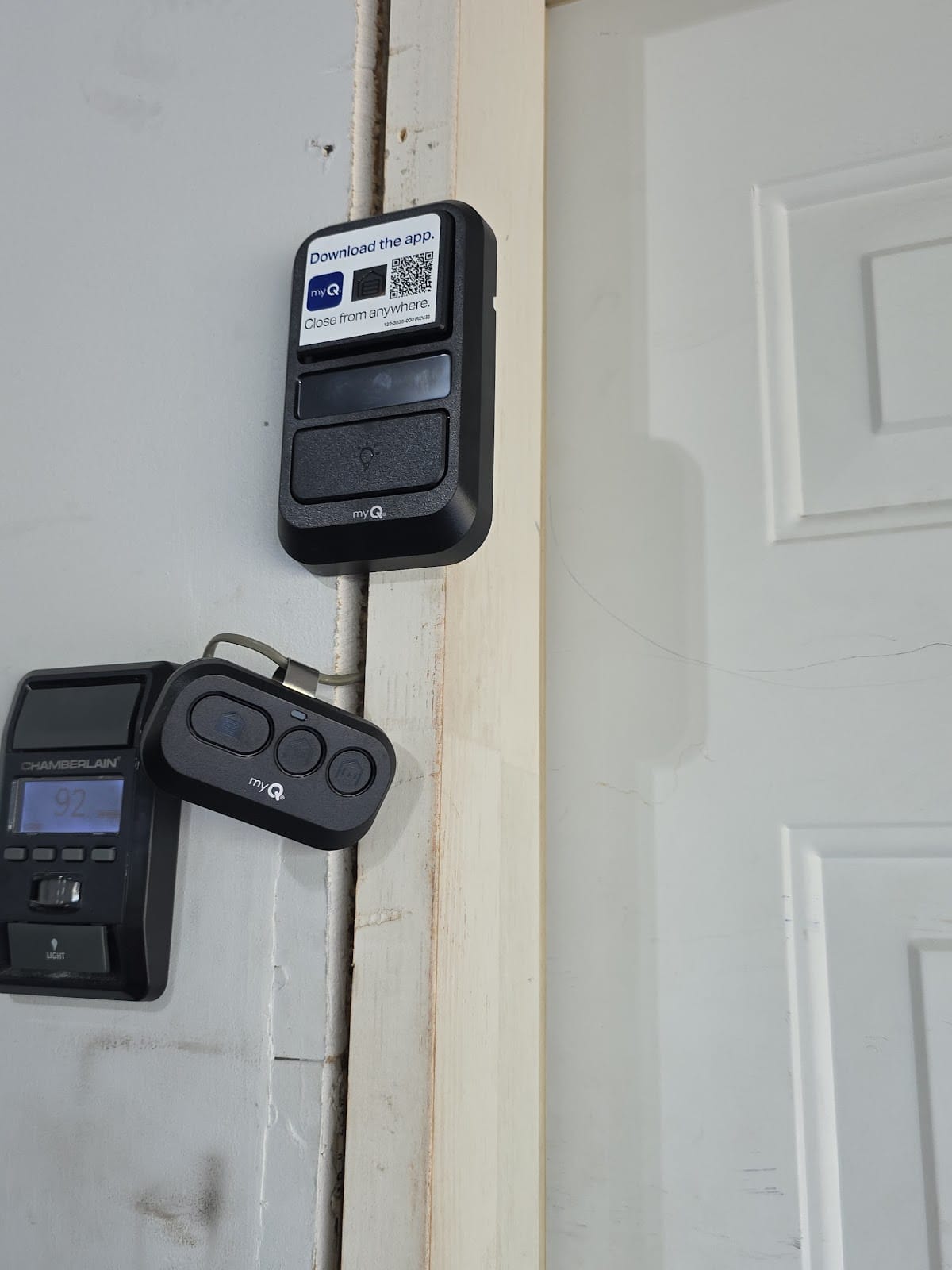
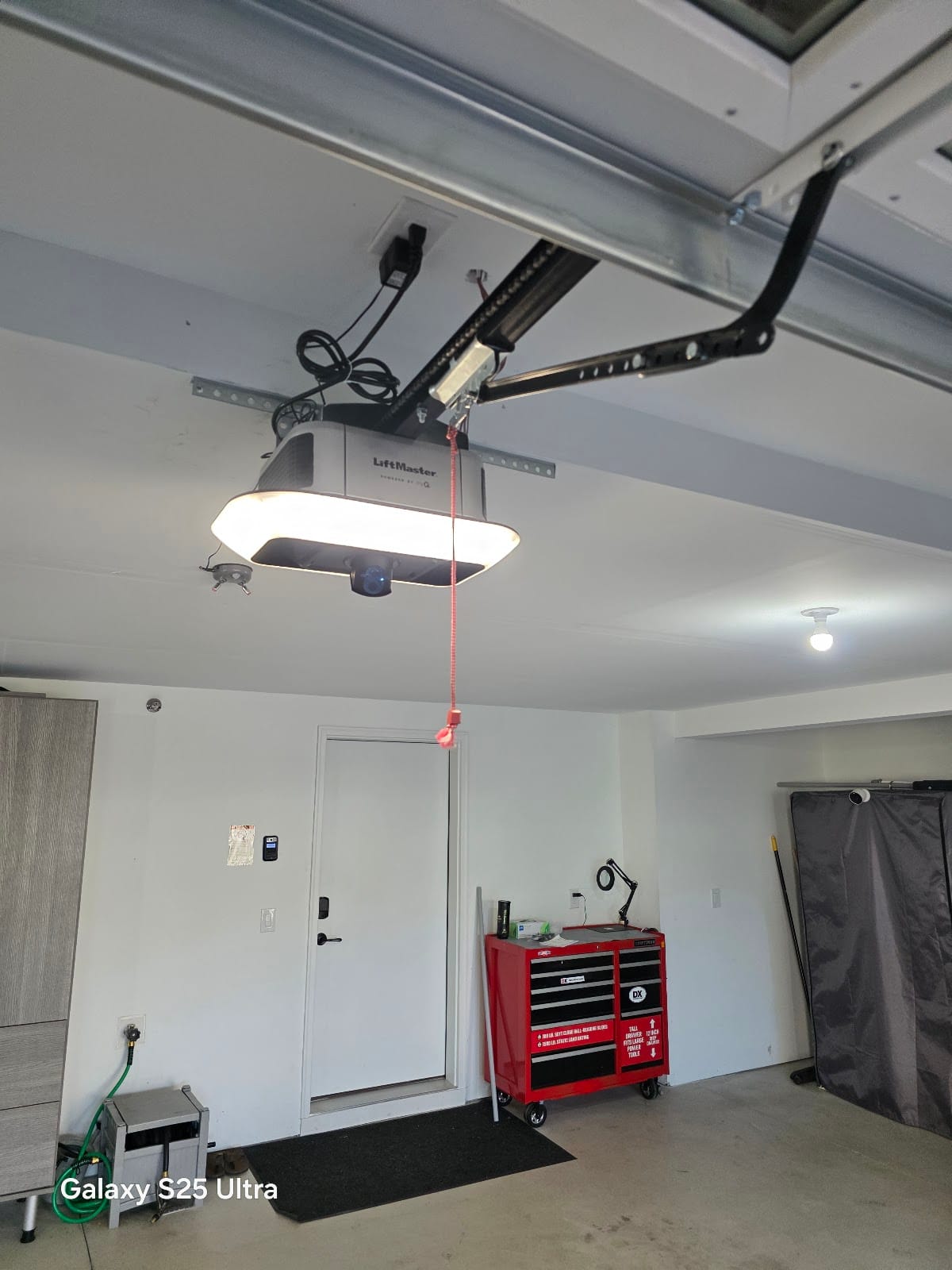
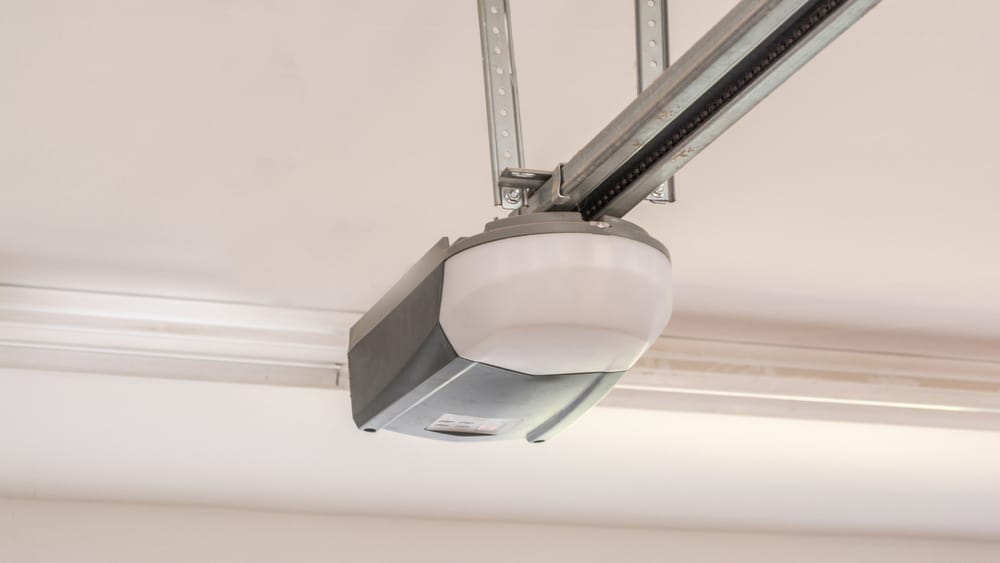
I program remotes, keypads and car buttons on almost every opener job in St. Louis Park, Edina, Plymouth and across the Twin Cities, and the steps are simpler than the manuals make them look. This guide walks through each brand the way I do it on a ladder: find the Learn button, press it once, press the remote. Then it covers the three things that stop programming from working, including the one I see most in Minnesota winters.
First: find the Learn button and read its color
The Learn button is on the motor unit, the box on the ceiling. On LiftMaster and Chamberlain it is on the back panel or under the light lens, next to a small LED and the antenna wire. On Genie it is labeled Learn Code or Program/Set. Some belt-drive models hide it behind a snap-off cover. Grab a step stool and a flashlight; you need to be close enough to see the LED change.
| Learn button color (LiftMaster / Chamberlain / Craftsman) | Years (approx.) | Radio system | Remotes that work |
|---|---|---|---|
| Yellow | 2011 to today | Security+ 2.0 (tri-band 310/315/390 MHz, rolling code) | Any current LiftMaster/Chamberlain remote or keypad (e.g. 893MAX, 877MAX), myQ app on Wi-Fi models |
| Purple | 2005 to 2011 | Security+ 315 MHz rolling code | Purple-button remotes or a MAX multi-frequency remote |
| Red / orange | 1997 to 2005 | Security+ 390 MHz rolling code | Red/orange-button remotes or a MAX multi-frequency remote |
| Green | 1993 to 1997 | 390 MHz “Billion Code” | Green-button remotes or a MAX multi-frequency remote |
| No Learn button, DIP switches | before 1993 | Fixed code (8-12 small switches) | Match the switch pattern in the remote to the opener. Honestly: it is time to replace the opener, see below. |
Why this matters: a yellow-button opener accepts the remotes sold in every hardware store today. For purple, red or green, buy a MAX remote (890MAX / 893MAX / 877MAX keypad). They switch frequency automatically and save you from guessing. Openers from before 1993 have no safety sensors either, so I recommend replacement rather than new remotes; see how long a garage door opener lasts and when to replace it.
LiftMaster / Chamberlain remote (Security+ 2.0, yellow button)
- Press and release the Learn button. The LED next to it glows for 30 seconds. Do not hold it; holding 6 seconds erases memory.
- Within 30 seconds, press and hold the button on the remote you want to use.
- Keep holding until the opener light blinks once (or you hear two clicks on units without a light). Release. Done.
- Test from the driveway. Repeat the same three steps for every remote and for the second button if you have two doors.
Each opener remembers a limited number of devices (most current models: about 40 remotes/keypads combined, older ones fewer). If a new remote will not take, memory may be full; erase and re-program the ones you still use.
LiftMaster / Chamberlain wireless keypad
- Pick a 4-digit PIN. Avoid 1234, your house number or the year on the mailbox.
- Press and release the Learn button on the motor.
- Within 30 seconds, type the PIN on the keypad and press ENTER. Hold ENTER until the opener light blinks or you hear the click.
- Close the keypad lid, walk away, test. To change the PIN later, repeat the same steps with the new number.
Mount the keypad on the garage frame, out of direct snow and ideally not on a wall that takes full afternoon sun. In Minnesota the keypad is the first device to act up in January, because a 9-volt battery at -20 F delivers far less power. Most LiftMaster and Chamberlain keypads use a 9-volt battery; the slim newer models use AA or AAA cells, check inside the cover. A fresh lithium battery in November prevents most winter “the keypad died” calls.
HomeLink (the buttons in your car)
HomeLink is the three-button panel in the mirror, visor or overhead console of most cars sold since the late 1990s. Programming has two halves on a Security+ 2.0 (yellow-button) opener; many people do only the first half and then think it is broken.
- Clear the buttons (new car or new house): hold the two outside HomeLink buttons together for about 20 seconds until the indicator starts flashing quickly. Skip this if the car is yours and the other buttons are in use.
- Train the button from your hand-held remote: hold the working remote 1 to 3 inches from the HomeLink buttons. Press and hold the car button you want AND the remote button at the same time. The indicator blinks slowly, then after 15 to 60 seconds blinks fast. Release both.
- Teach the opener the car (rolling code): on the motor unit, press and release the Learn button (LED on). Go back to the car within 30 seconds and press the trained HomeLink button for 2 seconds, release, press again for 2 seconds, release, and a third time. On most cars the door moves on the second or third press.
- Test with the garage door closed and the car outside, the same way you will use it.
Older cars (roughly before 2011) sometimes cannot learn Security+ 2.0 even after step 3. LiftMaster sells a small plug-in HomeLink compatibility bridge (model 855LM) that solves it; I keep them on the truck. Tesla and some Toyota/Lexus models follow the screen prompts instead of the two-second presses, but the Learn-button step is the same.
myQ app (Wi-Fi openers)
The LiftMaster openers I install now (the 6690L, 6580L and 2220L on my dealer poster) have Wi-Fi built in, so your phone becomes a remote, you get open/close alerts and you can let in a delivery or a contractor from work. Setup takes about five minutes:
- Install the myQ app, create an account, tap the plus sign and choose “Garage door opener”.
- Connect your phone to your home 2.4 GHz Wi-Fi (most myQ openers do not join 5 GHz networks; if your router merges both bands, stand near the garage so the phone picks 2.4).
- Follow the app: it has you press the Learn button or the Wi-Fi button on the motor; the opener LED changes color while it joins the network.
- Name the door, test open/close from the app, and turn on the alerts you want.
Older opener without Wi-Fi? The myQ Smart Garage Control hub (a small box plus a door sensor) adds the same app control to most yellow-, purple- or red-button LiftMaster/Chamberlain openers and many other brands. I can add one during a tune-up visit.
Genie, Overhead Door, Linear and others
| Brand | Where the button is | How to program a remote |
|---|---|---|
| Genie / Overhead Door (Intellicode) | “Learn Code” or “Program/Set” button on the motor head, often behind the light lens; round or square LED next to it | Press and release the button (LED blinks). Press the remote button; on most Intellicode 2 units press it a second time until the LED stops blinking or turns solid. The exact sequence is printed on the motor label. |
| Linear / Marantec / Sommer | “Learn” or “P” button on the control board, sometimes on a wired wall station | Press Learn, then press the remote until the LED confirms. Marantec counts a short beep as confirmation. |
| Craftsman (Sears) | Same as LiftMaster/Chamberlain, same colors | Follow the LiftMaster steps above; Chamberlain built most Craftsman openers. |
Erase everything (new house, lost remote, ex-roommate)
Hold the Learn button down for about 6 seconds until the LED goes out. Every remote, keypad and HomeLink button is now forgotten; re-program the ones you own. I do this on every home I open up for new owners, because the seller’s remotes, the realtor’s lockbox code and the old neighbor’s HomeLink all still work until you erase them. Also change the keypad PIN. On myQ openers, remove old users in the app under “People”.
When programming does not work: the real causes
- LOCK (vacation) mode is on. If the wall console’s LOCK light blinks or the console reads “LOCK”, every remote is disabled on purpose. Hold the LOCK button 2 seconds to clear it. This is the number one “my remote stopped working” call.
- Dead or cold battery. Remotes use a CR2032 coin cell; keypads a 9-volt or AA/AAA. In a Minnesota cold snap a weak battery drops below the radio’s threshold while still lighting the LED. Replace it before you blame the opener.
- Wrong remote generation. A yellow-button remote will not program to a purple-button opener. Match the color or buy a MAX remote (table above).
- Range of only a few feet. Usually interference, not programming: LED bulbs in the opener socket (use “garage door opener rated” bulbs), a new Wi-Fi mesh node on the garage ceiling, or a broken antenna wire. Let the antenna hang straight down.
- Learn LED never lights or the opener ignores everything. On an opener 12 to 15 years old this is usually the logic board, the same board that fails when a door reverses for no reason. The board on a mid-2000s unit often costs close to what a new LiftMaster opener installed costs, which is why I usually recommend replacing at that point.
- Door still will not close from the remote but opens fine. That is the safety sensors, not the remote. See the safety sensor guide and the opener blink-code chart.
If you ran through this list and the door still ignores you, read garage door remote or keypad not working: what to check, or call me. Programming is included free on every opener I install, and I do it for existing openers during a tune-up or repair visit anywhere in the Twin Cities.
Related guide: going away? the LOCK button and the other options are in garage door lock options: slide lock, T-handle, the LOCK button and the myQ automatic deadbolt.
Related guide: remote range dropped after a bulb change? See opener light and bulb interference.
Related guide: keypad dead on a cold morning? Keypad batteries, winter failures and the fix checklist.
Programming your remote and keypad – FAQ
How do I program a LiftMaster garage door remote without the manual?
Press and release the Learn button on the motor unit, then within 30 seconds press and hold the remote button until the opener light blinks. That works on every LiftMaster, Chamberlain and Craftsman opener with a Learn button, regardless of the manual.
Why won’t my new remote program to my old opener?
The remote and opener use different radio generations. Check the Learn button color: yellow needs a Security+ 2.0 remote, purple/red/green need a matching or MAX multi-frequency remote. Openers with DIP switches (before 1993) need a DIP-switch remote set to the same pattern, and should really be replaced.
How do I program my car’s HomeLink to the garage door?
Train the car button from a working hand-held remote held close to the HomeLink panel, then press the Learn button on the opener and press the car button two or three times, two seconds each. Older cars may need LiftMaster’s 855LM compatibility bridge for Security+ 2.0 openers.
How do I erase a garage door remote from the opener?
Hold the Learn button for about 6 seconds until the LED turns off. This erases all remotes, keypads and HomeLink buttons at once; re-program the ones you keep. Do this whenever you move into a home or lose a remote.
Why does my keypad stop working in winter?
Cold weather cuts the battery’s output, and a weak 9-volt battery is the usual cause. Install a fresh lithium battery each fall and keep the keypad lid closed. If a new battery does not fix it, the keypad’s buttons or the opener’s receiver may be the problem.
Owner-operated from St. Louis Park, about one hour away for most calls in Edina, St. Louis Park, Plymouth, Minnetonka, Golden Valley, Hopkins, Bloomington and the rest of the west metro. Call or text (763) 265-7671.